
Use the tool directly → Open Graph Generator
Introduction
Have you ever shared a link on Facebook, X (Twitter), or LinkedIn and noticed the preview looked wrong—or worse, completely broken?
Maybe the image didn’t show up, the title was cut off, or the description made no sense. This happens when Open Graph meta tags are missing or incorrectly set.
That’s exactly where the Open Graph Generator by ConvertioHub comes in. It helps you create clean, accurate social media previews without coding or technical knowledge. Whether you’re a blogger, marketer, business owner, or beginner, this free tool ensures your links look professional and clickable everywhere they’re shared.
What Is Open Graph? (Beginner Explanation)
Open Graph is a simple system created by Facebook that tells social media platforms how your webpage should appear when shared.
Instead of guessing, platforms read Open Graph tags like:
- Page title
- Description
- Featured image
- Page URL
When these tags are set correctly, your link preview looks clean, branded, and trustworthy.
Why Open Graph Matters in Real Life
Open Graph tags directly impact:
- Click-through rates
- Brand trust
- Social media engagement
For example:
- A clear image grabs attention while scrolling
- A short, relevant description explains value instantly
- A proper title avoids awkward truncation
If you care about SEO, social sharing, or conversions, Open Graph is not optional—it’s essential.
How the ConvertioHub Open Graph Generator Works
The Open Graph Generator makes the entire process simple and beginner-friendly.
Step-by-Step Guide
- Open the Open Graph Generator tool
- Enter your webpage URL
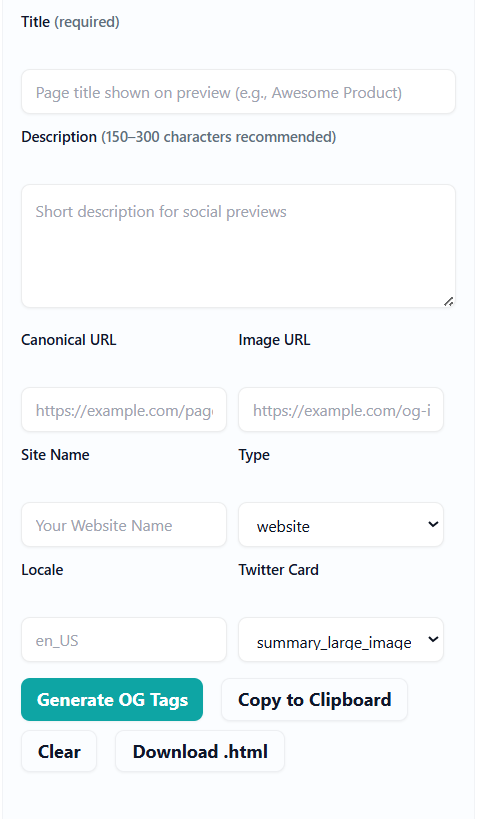
- Add your title, description, and image URL
- Preview how it will look on social platforms
- Copy the generated Open Graph meta tags
- Paste them into your website’s
<head>section
No plugins. No installs. No coding headaches.
Common Use Cases for Open Graph Meta Tags
People use the Open Graph Generator for:
- Blog posts and articles
- Product pages
- Landing pages
- News content
- Affiliate links
If you’re publishing content regularly, pairing this tool with an SEO Analyzer can significantly improve how your pages perform across platforms. You can try ConvertioHub’s built-in SEO Analyzer to identify missing social and SEO elements.
Benefits of Online Open Graph Tools vs Software
Why Online Tools Win
- ✅ No installation required
- ✅ Works on mobile and desktop
- ✅ Faster than desktop software
- ✅ Always up to date
- ✅ Beginner-friendly
Unlike heavy SEO software, online tools like ConvertioHub’s Open Graph Generator let you fix issues instantly, even if you’re publishing from a laptop or phone.
Improve Content Quality Before Sharing
Before sharing your page on social media, make sure the text itself is optimized. Tools like the Word Counter help ensure your titles and descriptions stay within ideal length limits for social previews.
Why Use ConvertioHub’s Open Graph Generator
- 100% free
- No login required
- Instant preview
- Beginner-friendly design
- Works for all websites
It’s built for speed, clarity, and real-world use, especially for creators who don’t want to deal with technical setups.
Frequently Asked Questions (FAQs)
1. What is an Open Graph Generator used for?
It creates Open Graph meta tags that control how your links appear on social media.
2. Do I need coding skills to use it?
No. Just fill in the fields and copy the generated code.
3. Does Open Graph help SEO?
Indirectly, yes. Better previews lead to higher engagement and clicks.
4. Can I use it for Facebook, LinkedIn, and X?
Yes. Most major platforms support Open Graph tags.
5. Is the ConvertioHub Open Graph Generator free?
Yes, it’s completely free with no limits.
Conclusion + Strong Call-to-Action
Your content deserves to look great wherever it’s shared. With the ConvertioHub Open Graph Generator, you can control your link previews, improve engagement, and present your brand professionally—without technical complexity.
👉 Start using the Open Graph Generator today and make every shared link count.