
Use the tool directly → SSL Checker
Introduction: Why Checking SSL Matters
Website security is no longer optional. Whether you run a personal blog, an online business, or a professional website, having a valid SSL certificate is essential. SSL not only protects user data but also builds trust and helps improve search engine rankings.
Many beginners install SSL once and forget about it. That’s risky. SSL certificates can expire, break, or be misconfigured without you noticing. This is where a free SSL Checker becomes incredibly useful.
With ConvertioHub’s SSL Checker, you can instantly check your website’s SSL certificate, HTTPS status, and security details—without technical knowledge or installation.
👉 This guide will walk you through everything in simple terms.
Beginner Explanation: What Is SSL and Why Is It Important?
What Is SSL?
SSL (Secure Sockets Layer) is a security technology that encrypts data between a website and its visitors. When SSL is active, your website uses HTTPS instead of HTTP.
You’ll know SSL is working when you see:
- 🔒 A padlock icon in the browser
- “https://” before your website URL
Why SSL Is Important
- Protects login forms and personal data
- Prevents hackers from intercepting information
- Builds visitor trust
- Required for Google rankings
- Essential for eCommerce and contact forms
Without SSL, browsers may mark your site as “Not Secure”, which can scare visitors away.
Common Real-Life Uses of an SSL Checker
An SSL Checker is helpful in many everyday situations:
- Website owners checking SSL expiry before it breaks
- SEO professionals ensuring HTTPS is working correctly
- Developers testing SSL after installation
- Business owners protecting customer trust
- Bloggers maintaining search engine visibility
If you care about security and SEO, checking SSL regularly should be part of your routine—just like using an SEO Analyzer to audit your website health.
How to Use ConvertioHub’s Free SSL Checker (Step-by-Step)
Using our tool is simple and takes less than a minute.
Step 1: Open the SSL Checker Tool
Visit ConvertioHub SSL Checker.
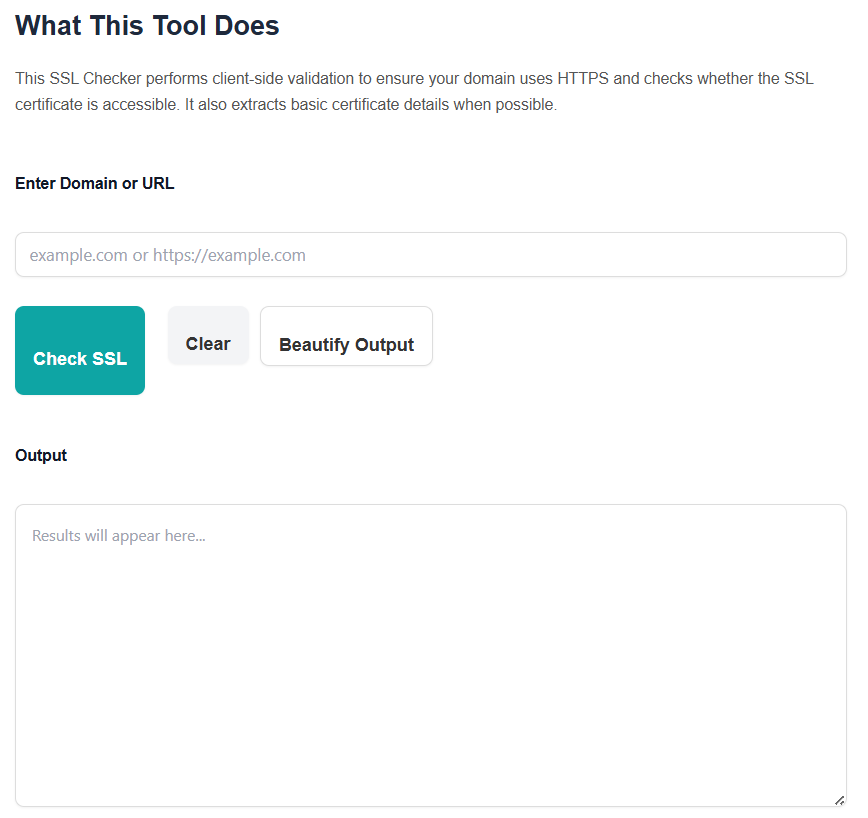
Step 2: Enter Your Website URL
Type your website address (example: https://yourwebsite.com).
Step 3: Click “Check SSL”
The tool instantly analyzes your SSL certificate.
Step 4: Review SSL Details
You’ll see:
- SSL validity status
- Certificate issuer
- Expiry date
- HTTPS configuration
No technical jargon. Just clear results.
Benefits of Online SSL Checkers vs Desktop Software
Many users ask whether online tools are better than software. Here’s a simple comparison:
Online SSL Checkers (Like ConvertioHub)
- No installation required
- Works on mobile and desktop
- Instant results
- Free to use
- Beginner-friendly
Desktop Software
- Requires setup and updates
- Not mobile-friendly
- Takes more time
- Often paid or complex
For quick checks and daily use, an online SSL Checker is the smarter choice—especially when combined with tools like the SEO Analyzer to monitor overall website performance.
FAQs – SSL Checker Tool
1. Is ConvertioHub’s SSL Checker free?
Yes, it’s 100% free with no sign-up required.
2. Can I check SSL for any website?
Yes, you can check SSL certificates for any public website.
3. How often should I check my SSL certificate?
At least once a month—or before major updates.
4. Does SSL affect SEO rankings?
Yes. Google uses HTTPS as a ranking factor.
5. What happens if my SSL expires?
Your site may show security warnings, lose trust, and drop in rankings.
6. Can beginners use this tool?
Absolutely. The tool is designed for non-technical users.
Conclusion: Keep Your Website Secure in Seconds
Website security doesn’t have to be complicated. With ConvertioHub’s free SSL Checker, you can instantly verify your SSL certificate, avoid security warnings, and protect your visitors—all in just a few clicks.
Whether you’re a beginner, blogger, or business owner, this tool gives you peace of mind without technical headaches.
👉 Check your website’s SSL status now and keep your site secure and trusted.